
Daft Music: Music Player
An in-depth review of Daft Music: Music Player for Mac. Discover how this native macOS client elevates your Apple Music experience with speed and style.
The macOS Music Dilemma and the Daft Music Solution
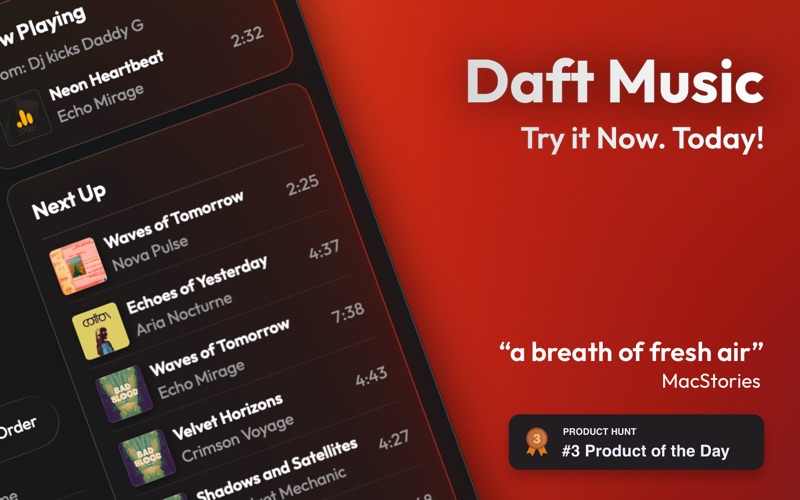
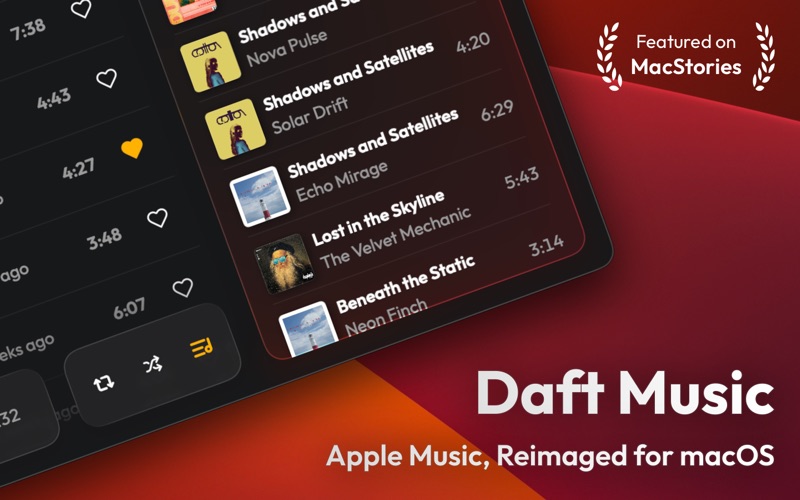
For many Mac users, navigating the default music experience can sometimes feel sluggish, especially when managing extensive libraries. Heavy resource usage and interface clutter often get in the way of the music itself. Daft Music: Music Player addresses this exact pain point by offering a native, lightweight alternative designed specifically for macOS. Developed by OBRHOFF Software Labs GmbH, this media application prioritizes speed, simplicity, and a clean interface that feels right at home on your Mac desk setup.
Key Features of Daft Music: Music Player
This player is not just a visual skin; it is a fully optimized companion built to streamline how you interact with your audio library. Here is what makes the application stand out:
- High-Speed Performance: Built natively for macOS, the player remains highly responsive and fluid, even when handling exceptionally large music catalogs.
- Last.fm Integration: Keep your listening statistics up to date automatically with built-in scrobbling support.
- Spotify Playlist Syncing: Easily import your favorite Spotify playlists and subscribe to them to keep your music collections synchronized across platforms.
- Global Radio Stations: Access and stream radio stations from around the globe directly inside the app.
- Integrated Shazam Detection: Instantly identify unfamiliar tracks playing on the radio using built-in song recognition technology.
- Privacy-First Architecture: Enjoy your music with complete peace of mind, as the app is designed with zero tracking and no data collection.
Who Is This Native Player For?
If you love your Apple Music subscription but crave a faster, more minimalist desktop interface, Daft Music: Music Player is tailored for you. It appeals directly to power users who value system efficiency, clean aesthetics, and advanced utilities like cross-platform playlist syncing and scrobbling. It strips away the bloat, leaving you with a highly focused environment dedicated entirely to your listening pleasure.
Our Editorial Verdict
By focusing on native performance and essential features, the developer has created a utility that feels incredibly premium. It respects system resources while adding valuable tools like Shazam integration and Spotify playlist importing. To experience this streamlined desktop setup yourself, head over to the official Mac App Store to get started with Daft Music: Music Player today.