
Fotogenic: Photo Editor
Read our comprehensive review of Fotogenic : Photo Editor. Discover how this Mac design app simplifies photo retouching and creative editing for everyone.
Finding a balance between professional-grade control and beginner-friendly simplicity is a common challenge in digital photography. Fotogenic : Photo Editor addresses this gap directly on the Mac platform. Designed by developer Huseyin Ekmekci, this application serves as a versatile design companion that accommodates both casual creators looking for quick touch-ups and experienced photographers aiming for detailed artistic compositions.
Intuitive Interface and Guided Workflow
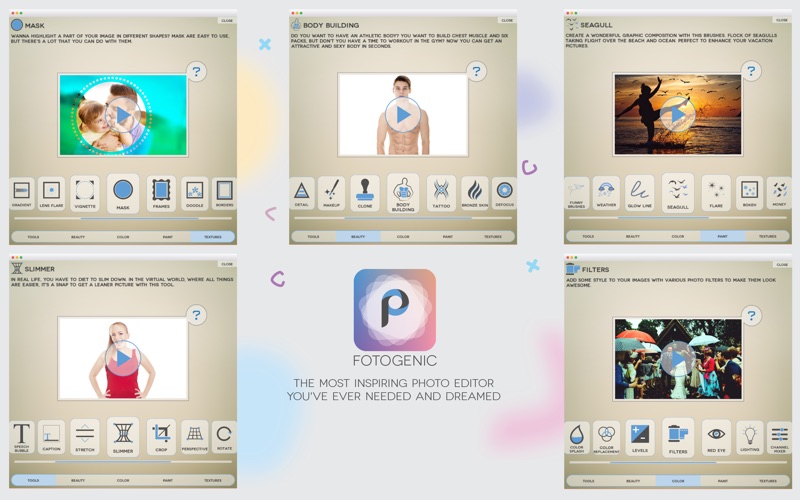
What sets this platform apart is its focus on usability. Instead of forcing users to navigate complex, multi-layered menus, the application features an interactive help system for every single tool. This makes the learning curve virtually non-existent for beginners, allowing anyone to produce refined visual art right from their first session.
Key Features of Fotogenic : Photo Editor
The software organizes its extensive toolkit into distinct functional categories, making it easy to locate the exact adjustment you need:
- Essential Geometry & Text Tools: Beyond standard cropping and rotation, you can use the innovative "Text On Path" feature to warp typography, add customizable speech bubbles, or fix keystone perspective distortions.
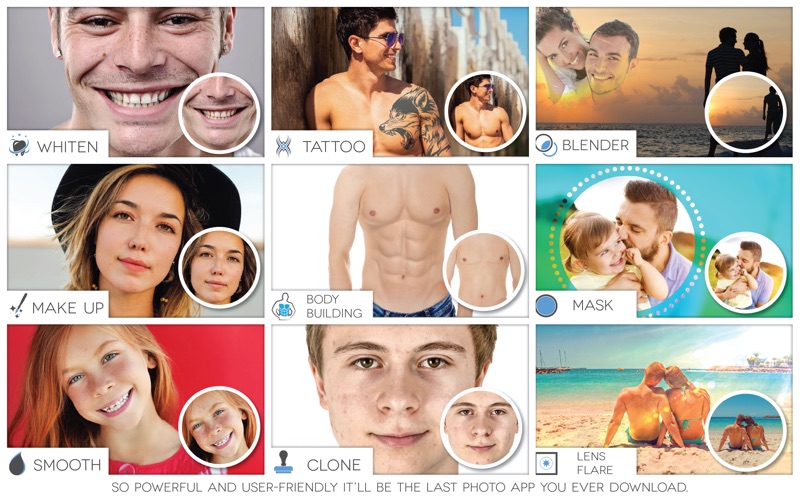
- Advanced Beauty & Retouching: Achieve flawless portraits with specialized brushes for skin smoothing, teeth whitening, and detail enhancement. It also includes virtual makeup application, a clone stamp for object removal, and realistic body reshaping tools.
- Comprehensive Color Adjustment: Fine-tune your images using levels, HDR simulation, lighting corrections, and a precise channel mixer. You can also experiment with color replacement and selective color splash effects.
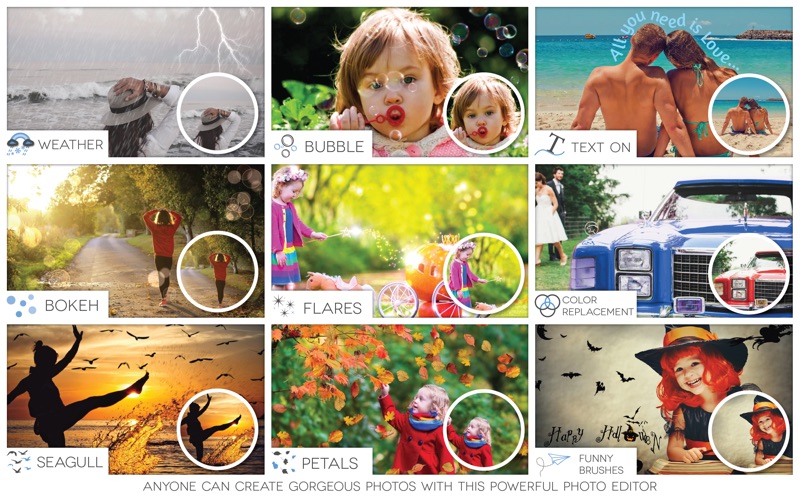
- Artistic Brushes & Textures: Transform the mood of your photos with realistic weather effects (such as rain, snow, and lightning), glowing lines, or live brushes that paint bubbles, petals, and bokeh. Additionally, you can overlay light leaks, grunge textures, and classic vignettes.
Who Is This Editing App For?
This software is highly recommended for Mac users who require more creative freedom than basic pre-installed system tools offer, but want to avoid the steep learning curve and subscription costs of heavy industry-standard suites. It is particularly well-suited for content creators, social media managers, and hobbyist photographers who appreciate having pre-configured creative brushes and quick beauty adjustments in one unified workspace.
Conclusion
By combining functional depth with an exceptionally clean user interface, the application makes complex photo manipulation accessible to everyone. If you are ready to elevate your digital photography workflow on macOS, you can find and download Fotogenic : Photo Editor directly from the Mac App Store.